Typosquatting Detection: 11 Domain Permutation Types and How to Scan for Them
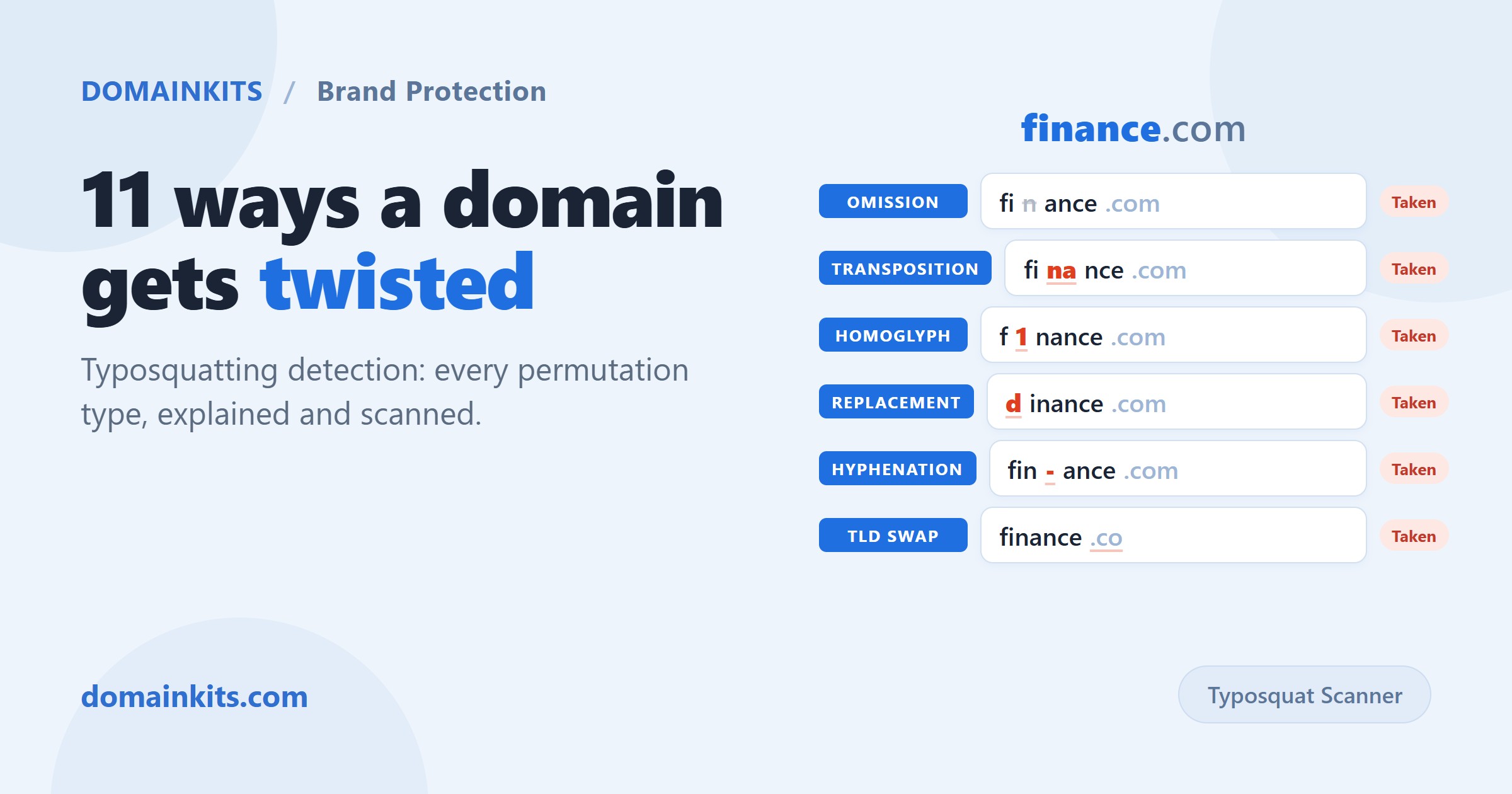
Someone registers f1nance.com. One character different from finance.com, the digit 1 in place of the letter i, but enough to fool a glance. That is typosquatting, and it is not limited to obvious misspellings. A systematic scanner can generate hundreds of plausible variations of a single domain, then check which of those variations are already registered. This post walks through the 11 mutation types that make up a thorough scan, explains why each one matters, and shows how to run the scan yourself without installing anything.
What is typosquatting?
Typosquatting is the practice of registering domain names that are visually or typographically similar to an established domain. The intent varies: some registrants use them for advertising revenue, some for phishing, and some simply hold them for resale. But the mechanics are always the same: take a known brand or domain, apply a small mutation, and register the result before anyone else does.
What makes typosquatting hard to defend against is not the concept but the surface area. A seven-letter domain like finance generates hundreds of permutations across just one TLD. A longer name generates more. Most brands do not know which of those permutations are already taken, and that is the gap a typosquatting scanner fills.
The 11 permutation types
A thorough typosquatting checker does not just swap letters at random. It applies a defined set of mutation algorithms, each modeling a different kind of mistake or deception. Here are all 11, with examples based on the domain finance.com.
1. Omission
Remove one character at a time. Each position produces a variant: inance, fnance, fiance, finnce, finace, finane, financ. These catch the most common real-world typo: a finger missing a key entirely. Note that removing the third letter from finance produces fiance, which happens to be a real English word, making it a particularly deceptive variant.
2. Transposition
Swap two adjacent characters. ifnance, fniance, fiannce, finnace, finacne, finanec. This models the second most common keyboard mistake: hitting two keys in the wrong order. Fast typists are especially prone to transposition errors.
3. Replacement
Replace each character with its keyboard neighbors. The letter f sits next to d, g, r, and v on a QWERTY layout, so dinance, ginance, and vinance are all generated. This produces the most variants of any type, because each position has multiple neighbors. It catches the "fat finger" scenario, where you hit the key next to the one you intended.
4. Insertion
Insert an extra character between each pair of existing characters, using keyboard-adjacent keys. If the letter between n and a could be a stray s or b, the scanner generates finsance or finbance. This catches double-taps and stray keystrokes, and typically produces the largest number of permutations.
5. Repetition
Double each character in turn: ffinance, fiinance, finnance, finaance, finannce, financce, financee. A subtle mutation that often passes visual inspection, because the human eye does not count letters precisely.
6. Homoglyph
Replace characters with visually similar ones. The letter i becomes the digit 1; the letter n becomes m in narrow fonts; the letter c becomes e with the right typeface. This is the technique behind IDN homograph attacks and is arguably the hardest mutation to catch by eye. A domain like f1nance.com looks nearly identical to the original in most sans-serif fonts.
7. Vowel swap
Replace each vowel with every other vowel. finance becomes fonance, funance, fenance, or finenco and financi, financo, financu. These are phonetically plausible and can be confused in speech or memory, even if they look different on screen.
8. Hyphenation
Insert a hyphen between each pair of characters: f-inance, fi-nance, fin-ance, fina-nce, finan-ce, financ-e. Hyphenated variants are common in phishing because they can make a URL look like a legitimate subdomain or product line. fin-ance.com is particularly deceptive because it reads as if "fin" and "ance" are meaningful segments.
9. Plural
Add or remove a trailing s: finances.com. Simple, but effective. Many brands register only the singular form, leaving the plural wide open.
10. Exact TLD
Check the exact domain name on major TLD extensions: .com, .net, .org, .io, .co, .ai, .app, .dev, and others. This catches brand squatting across extensions: someone registers finance.io or finance.ai and uses it to impersonate the original. The Cross-TLD count in scan results shows how many extensions each name is registered on.
11. TLD swap
Replace the TLD with a commonly confused alternative. .com becomes .co, .cm, .om, or .con. TLD typos are among the oldest forms of typosquatting: Cameroon's .cm registry has historically received enormous traffic from mistyped .com addresses.
How to run a typosquatting scan
There are two broad approaches: command-line tools and browser-based scanners.
The CLI approach: dnstwist
dnstwist is the standard open-source tool for domain permutation. It is a Python script that generates variants, resolves DNS, and can compare page content via fuzzy hashing. It is powerful, scriptable, and well-suited for security teams that need to integrate typosquatting checks into automated pipelines. The tradeoff: it requires a Python environment, command-line familiarity, and manual DNS resolution setup for full results.
The browser approach: an online typosquatting checker
The DomainKits Typosquat Scanner runs the same category of scan in the browser. Enter a domain, and results stream in with registration status already checked. Each result shows the permutation, the mutation type, the registration date if the domain is taken, and how many TLD extensions that same name exists on. You can filter by status (registered, available, expired) and by mutation type, and drill into WHOIS or DNS records for any result without leaving the page.
The practical difference is the starting point. If you are a security engineer building a monitoring pipeline, dnstwist gives you raw output you can pipe into your own tooling. If you are a brand owner, a marketer, or anyone who needs to answer "which lookalikes of my domain are already registered" right now, a browser-based scanner gets you there in one search.
Reading the results
A scan generates hundreds of permutations. Not all of them matter equally. Here is how to prioritize:
- Registered lookalikes come first. A permutation that exists is a concrete risk. One that is available is a potential risk. Focus on what is already taken.
- Cross-TLD count signals intent. If a lookalike name is registered on 20+ extensions, someone invested money in it deliberately. A name registered on just one extension might be coincidental.
- Registration date provides context. A lookalike registered the same week your brand launched is more suspicious than one from a decade ago.
- Mutation type tells you the attack vector. Homoglyph variants target visual deception (phishing emails, fake login pages). Omission and transposition variants target typing mistakes (direct URL entry). TLD swaps target address-bar habits.
For any registered lookalike that looks concerning, the next step is to check what it resolves to. Run a DNS lookup to see if it points to live infrastructure, and a WHOIS lookup to see when it was registered and what its current status is.
Building a defense: scan, register, monitor
Typosquatting defense has three layers, and a one-time scan only covers the first.
- Scan your domain to map the permutation landscape. Identify which high-risk variants are already taken and which are still available.
- Register the highest-risk available variants before someone else does. You do not need to register all of them. Prioritize single-character typos of your exact name, homoglyph lookalikes, and your exact name on major TLD extensions (.com, .net, .org, .io, .ai). Defensive registration is almost always cheaper than recovering a domain through a UDRP dispute later.
- Monitor for new registrations on an ongoing basis. A scan shows what exists today, but new lookalike domains get registered every day. Search your brand across newly registered domains to catch fresh registrations within 60 days of their creation, while they are still actionable.
A reasonable routine: run the typosquatting scan once to understand your landscape, register the critical gaps, then check newly registered domains periodically to catch anything new.
What a scan does not tell you
A permutation scan identifies structural similarity between domain names. It does not determine intent, and it does not constitute legal advice. A domain appearing in scan results means it is typographically close to the input, not that it infringes a trademark. Common words, short strings, and personal names generate many permutations that have entirely legitimate registrations behind them.
What the scan does give you is visibility. You cannot assess a risk you do not know about, and most brands have never mapped their lookalike landscape. That is the gap this fills.
Start by scanning your own domain: run a typosquatting check.
Get new articles by email
No account needed. At most one email a day, only when there is something new.
We use your email only to send new articles. Every email has a one-click unsubscribe link. Privacy policy